Getting Started
To use PrimeDesk, contact us to request a demo. Once set up, we'll provide you with a dedicated number.
Message Format
Your customers should format their messages like this to reach the correct department:
[TOPIC] Your message
Examples:
- [SUPPORT] My app keeps crashing.
- [SALES] Do you ship to Canada?
- [BILLING] I need a refund for order #123.
Customers can send /help at any time to receive a guide on available categories and how to format their messages. The help menu content is configurable by an administrator.
How Message Threading Works
Each topic is automatically organised into its own independent thread, complete with its own chat history. Customers can have multiple threads active simultaneously — for example, an open billing enquiry alongside a separate support request.
How replies are routed:
- With a tag — the message is directed to that specific thread
- Without a tag — the message is routed to the customer's current active thread automatically
Conversation Lifecycle
- Customer sends a tagged message — e.g. [BILLING] Request refund for order #123
- PrimeDesk opens a dedicated thread and sets it as the active context
- Agent reviews and responds from the dashboard
- Conversation continues within the 24-hour WhatsApp session window
- If the window lapses, the agent may re-initiate contact using a pre-approved message template
- Once resolved, the thread is closed by the agent or customer
Message Templates
When the 24-hour WhatsApp session window has lapsed, agents cannot send free-form messages until the customer replies. PrimeDesk supports pre-approved Meta message templates, allowing agents to re-initiate contact compliantly. Templates are configured in the Admin Dashboard and can be sent directly from the conversation view.
Customer Records
PrimeDesk includes a contact directory where agents can manually add and manage customer information. Each contact record stores key details including:
- Name
- WhatsApp number
- Address
- Full conversation and thread history
This gives agents immediate context when handling enquiries, without needing to ask customers to repeat themselves. Contact records can be created, viewed, and updated from the agent dashboard.
Data Export
PrimeDesk allows agents to export thread data for reporting, archiving, or handoff purposes. Exports can be scoped to all threads or filtered to expired threads only.
Managing Your Team with PrimeDesk
PrimeDesk is built on WordPress and the WhatsApp Business Cloud API, giving your team the tools to deliver fast, organised support.
Roles:
- Administrators have full access to all conversations, settings, and team management
- Agents are assigned to specific categories and see only conversations relevant to their department
Your Dashboards:
You'll have access to two interfaces for managing customer requests:
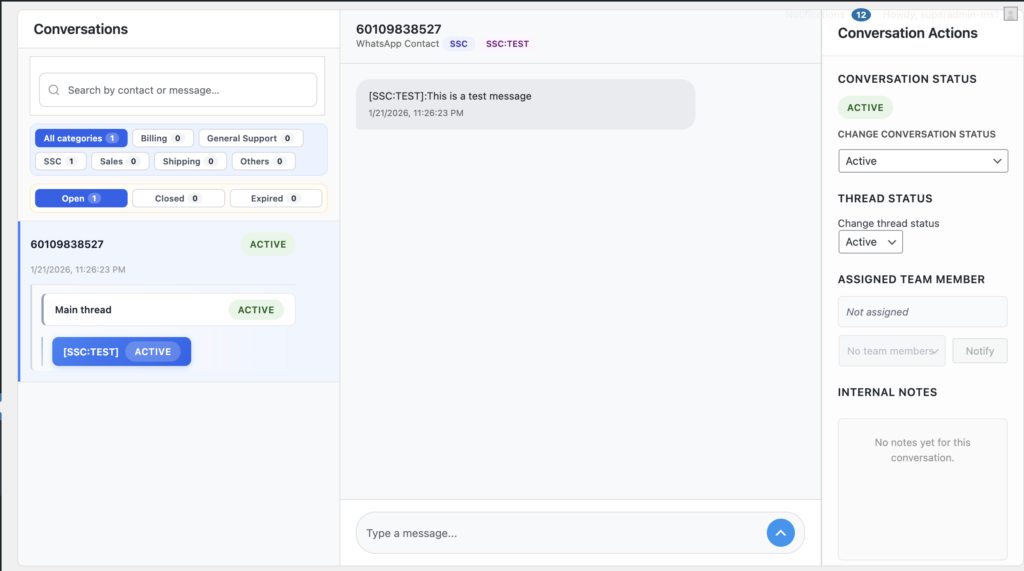
Admin Dashboard: Your control center for configuring settings, managing team assignments, and overseeing all conversations across all categories.
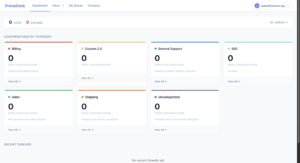
Frontend Dashboard: A streamlined interface where agents handle conversations by assigned category, organised by active threads.
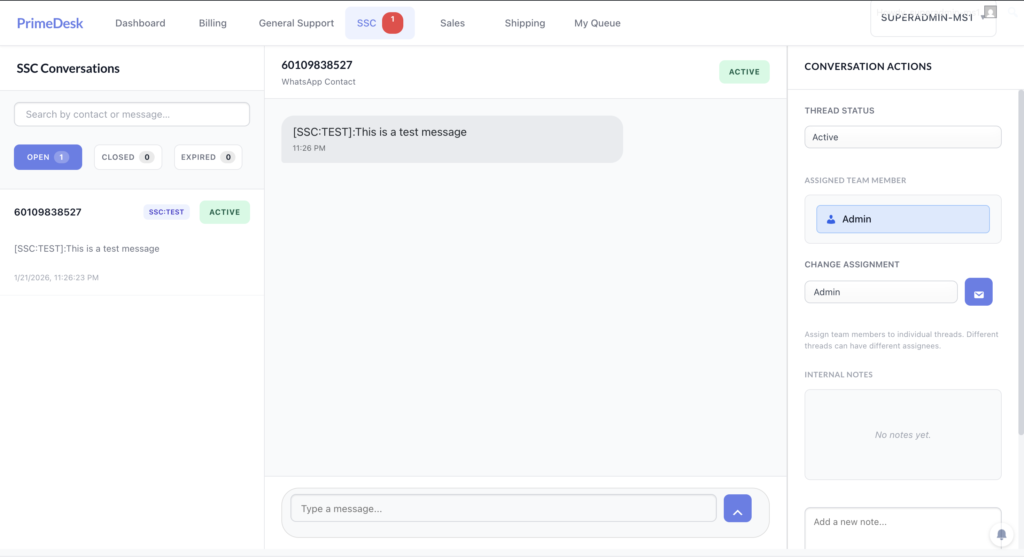
Topic View: Team members can browse conversations filtered by specific topics (e.g., /primedesk-dashboard/support/), ensuring they focus on relevant requests.
How the System Routes Messages
- Tagged messages — routed directly to the corresponding thread
- Untagged messages — automatically routed to the customer's current active thread
- Untagged messages from new customers — directed to the main thread, visible to administrators for manual routing
- Thread isolation — each thread is fully independent; closing one does not affect others for the same customer
Need Help?
Contact us to schedule a demo and see how PrimeDesk can streamline your customer support operations.